
ePOS vs POS vs mPOS: Which Billing System Does Your Store Need?
ePOS vs POS vs mPOS is a question every growing retailer ends up asking, because a long queue at the checkout counter costs more than a few impatient customers. It slows staff down, creates billing errors, makes stock harder to track, and can make the whole shopping experience feel outdated.
Today, a checkout system does far more than print bills. It affects how fast sales are completed, how accurately stock is tracked, how payments are accepted, and how easily the business can grow.
People often use the three terms as if they mean the same thing, but they describe different parts of retail checkout technology. Knowing the difference helps you pick a setup that matches your store’s size, sales process, budget, and plans for growth.
If you are looking at an ePOS billing system for retail stores, this guide compares the three options, shows where each one works best, and covers what Indian retailers should check before investing.
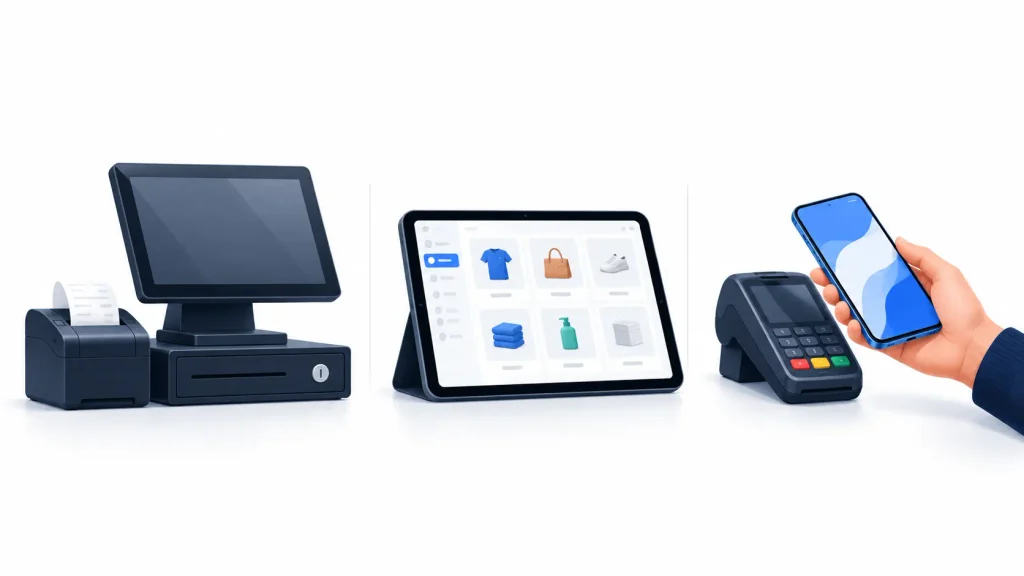
ePOS vs POS vs mPOS: What Is the Difference?
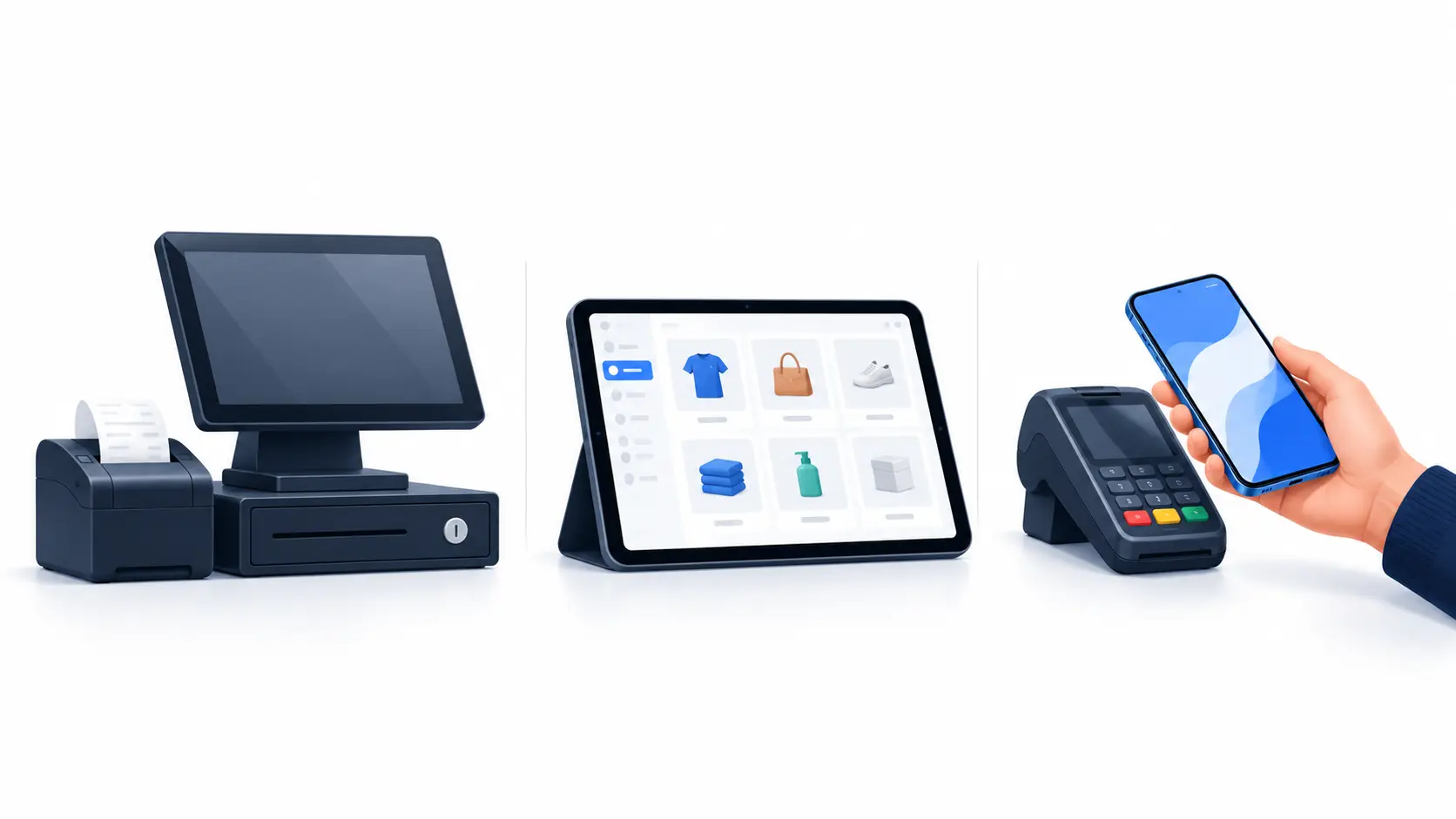
A POS (Point of Sale) system is the setup a business uses to process sales. An ePOS (electronic Point of Sale) system uses software to handle billing and sales digitally, often with inventory and reporting tools. An mPOS (mobile Point of Sale) system lets staff process sales on a smartphone or tablet, usually with compatible payment hardware or software.
The key point is simple: POS is the broad category, ePOS is the electronic, software-driven approach, and mPOS is about mobility. All three overlap. An ePOS app can run on a tablet, for example, which means it can also work as an mPOS setup.
What Is a POS System?
A Point of Sale system is the place where a customer completes a purchase. Traditionally, that meant a cash register, a billing machine, or a card terminal. In the ePOS vs POS vs mPOS comparison, it is the foundation the other two build on. Modern systems may combine billing software, a barcode scanner, a receipt printer, payment acceptance, and inventory tools.
A POS system can help a retailer:
- Record sales and generate bills
- Calculate taxes and apply discounts
- Accept supported payment methods
- Keep transaction records
- Track inventory, depending on the software
- Review sales and cashier activity
Best suited for: stores that need a dependable checkout counter, from small shops to large outlets.
A basic POS setup may be enough for a store with simple billing needs. Retailers with multiple locations, large inventories, or detailed reporting needs may need more advanced software.
What Is an ePOS System?
An electronic Point of Sale system uses software to manage sales digitally. It usually runs on a computer, tablet, or dedicated terminal, and it connects with devices such as barcode scanners, receipt printers, cash drawers, and payment machines.
Unlike a basic billing machine, a full-featured ePOS system can bring several store tasks into one screen. Depending on the product, features may include:
- Digital billing and invoice generation
- Product catalogues and inventory management
- Sales reports and business analytics
- Customer records and loyalty features
- Staff permissions and cashier management
- Links to accounting, ecommerce, or payment systems
For example, a clothing retailer can use ePOS software to record a sale, update stock for the item sold, apply a discount, and check daily revenue, all from one system. These features depend on the software you choose, and not every ePOS product includes all of them.
Best suited for: retailers who want to move past basic billing and manage sales, stock, and reports in a more organised way.
What Is an mPOS System?
A mobile Point of Sale system lets staff process sales on a smartphone or tablet. Depending on the setup, it may use an app, a card reader, a QR-based payment flow, or a compatible payment terminal.
mPOS is most useful when sales do not always happen at a fixed counter. Common examples include:
- Salespeople billing customers on the shop floor
- Pop-up stores at weekend markets
- Restaurant staff taking payment at the table
- Exhibition stalls accepting payments
- Delivery or field-sales teams collecting payments on the move
For example, a customer trying on clothes may want to pay without walking back to the billing counter. With the right mobile checkout, staff can complete the sale right there on the shop floor. In the ePOS vs POS vs mPOS picture, mPOS is the most flexible option for selling away from a counter.
A mobile device alone does not give you secure card acceptance or a full retail management system. Check payment compatibility, security, connectivity, and integration needs before you buy.
Best suited for: businesses that need flexibility, mobile billing, or payment acceptance away from a fixed counter.
[Image 2 — Alt text: Retail staff using mPOS to bill a customer on the shop floor]
ePOS vs POS vs mPOS: A Side-by-Side Comparison
Here is how ePOS vs POS vs mPOS compare on the points that matter most to retailers.
| Feature | Traditional POS | ePOS | mPOS |
|---|---|---|---|
| Main purpose | Process sales at a checkout point | Manage electronic sales and related tasks | Process sales on mobile devices |
| Typical hardware | Cash register, terminal, or computer | Computer, tablet, or dedicated terminal | Smartphone or tablet, sometimes with a card reader |
| Billing | Basic to advanced, depending on setup | Usually software-driven and configurable | Handled through a mobile app |
| Inventory management | Depends on the system | Often built into the software | Depends on the app |
| Mobility | Usually fixed | Fixed or portable | Built for mobile use |
| Sales reporting | Varies by system | Often includes digital reports | Depends on the software |
| Payment acceptance | Depends on connected devices and provider | Depends on integrations and supported payment methods | Depends on the app, device, and payment provider |
| Multi-store support | Depends on the product | Available in some systems | Available in some systems |
| Best use case | Simple counter-based sales | Connected billing and store management | Sales away from a fixed counter |
Important: these are general patterns, not fixed product specifications. Modern systems can combine all three approaches.
Why ePOS vs POS vs mPOS Matters for Indian Retailers
Indian retailers increasingly serve customers who expect multiple payment options and a quick checkout. Digital payments run at a huge scale, so payment readiness matters when you choose retail technology.
According to a Ministry of Finance release published in March 2026, UPI made up 81% of India’s retail digital payment transactions by volume in FY 2024–25. The same release reported 22,167.90 crore retail digital payment transactions across all payment methods that year.
These numbers show why accepting digital payments matters. They do not mean every store has the same payment mix or needs. The practical question is whether your checkout can support the payment methods your own customers use. Depending on the business, that may mean UPI QR payments, cards, cash, or other supported methods. It may also call for reliable transaction records, clear payment confirmation, and a way to match completed sales with payment settlements.
The Reserve Bank of India’s payment system indicators track UPI, cards, and point-of-sale infrastructure as separate parts of the ecosystem. That is a useful reminder: billing software and payment infrastructure are related, but they are not the same thing. A retailer needs to evaluate both.
How the Wrong Billing Setup Can Affect a Retail Business
Picking a system on initial price alone can cause problems as the business grows. Here are the five most common ones.
Slow checkout at peak hours. When staff type product details by hand, switch between screens, or fix billing errors often, queues build up. Barcode scanning, a well-organised catalogue, and a suitable billing flow remove many unnecessary steps.
Stock mismatches. When sales and stock records live in separate places, staff must update both by hand, which invites errors. An integrated POS or ePOS solution can keep sales and inventory in sync, provided the right features are switched on and set up correctly.
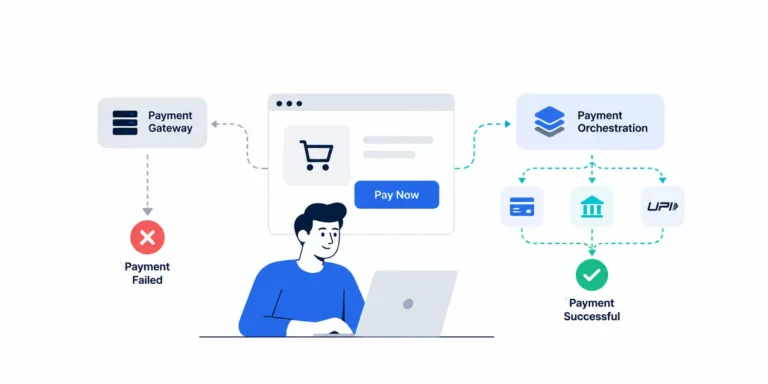
Scattered payment records. A completed bill does not always mean the payment has gone through or settled. A customer may pay by UPI while the cashier logs the sale separately in the billing software. If the records do not connect, staff may have to hunt down mismatches by hand. A good workflow makes it easy to compare bills, payment confirmations, refunds, and settlement records.
Limited view of store performance. Without useful reports, it is hard to see which products sell fastest, when demand peaks, or where returns and discounts are cutting into margins.
Difficult expansion. A system that works for one counter can become awkward when you add staff, branches, or online sales channels. Check multi-user access, multi-store reporting, integrations, and data export before you choose.
ePOS vs POS vs mPOS: Which Should Your Store Choose?
The right choice depends on how your business works, not on which acronym sounds most advanced.
Choose a traditional POS if:
- The store is small and billing is straightforward
- Your main need is processing transactions at a fixed counter
- Your current setup already covers the inventory and reports you need
- Extensive integrations and central multi-store management are not on your list
Choose an ePOS system if:
- Structured digital sales records matter to you
- Inventory tracking or product-level reporting is a must
- Connecting billing with accounting or other business software is a goal
- Your needs are likely to grow
- A central view of store performance (where supported) would help
Choose an mPOS system if:
- Customers need to be billed away from a fixed counter
- Pop-up shops, events, or temporary locations are part of your plan
- Staff must take orders or payments on the shop floor
- A mobile sales or service business is what you run
- Portable checkout that fits your payment needs is a priority
What if your store needs more than one?
You do not have to pick only one. A retailer could run an ePOS system at the main counter and give extra staff mobile devices. A larger business might use a connected system across branches, with one product catalogue and central reporting.
In the ePOS vs POS vs mPOS decision, the goal is a checkout setup that fits the whole sales process, not just a new device.
How to Choose an ePOS Billing System for Retail Stores
Before you compare ePOS vs POS vs mPOS vendors, list the problems you want the system to solve. Then work through the seven checks below.
Check your workflow and payment methods
1. Start with your daily sales workflow. Think about how many transactions you process, how many staff use the system, whether products have variants, and how often you give discounts or handle returns. A grocery shop and a fashion store both need billing software, but their inventory and checkout needs differ a lot.
2. Check the payment methods supported. Ask which methods are available and how they connect. If you need UPI and card acceptance, confirm whether the provider supports them directly or needs separate devices or integrations. Also ask how payment confirmation is shown, how failed transactions are handled, and how refunds are recorded.
Review inventory, reports, and connectivity
3. Evaluate inventory and reporting. Look beyond printing a bill. Check whether the software supports your product catalogue, stock adjustments, returns, tax settings, staff permissions, and the reports your team needs. If you sell both in store and online, for example on Shopify or WooCommerce, find out whether inventory and order data sync reliably.
4. Review connectivity and offline behaviour. Internet access varies by location and network. Ask what happens if the connection drops. Can the app keep recording sales? Which features stop working? How are transactions synced afterwards? Offline billing does not automatically mean offline payment processing, so verify each with the provider.
Compare costs, security, and demos
5. Calculate the total cost of ownership. Compare more than the advertised software price. Include hardware and installation, subscription or licence fees, payment device charges, integration and maintenance costs, staff training, support, and data migration. The lowest upfront price may not be the lowest long-term cost.
6. Check security and access controls. Confirm how the provider protects business and customer data. Review staff permissions, device access, software updates, audit trails, and backups. Where card payments are involved, understand who handles cardholder data and which security rules apply to your setup.
7. Test before you commit. Ask for a demo using realistic transactions from your store. Try a normal sale, a discount, a return, a payment failure, a refund, and a daily sales report. If you can, include a case where the connection is interrupted. This can reveal problems that a feature list will not.
A Practical Example: ePOS vs POS vs mPOS for a Growing Retail Store
Picture a fictional apparel retailer with one shop, four employees, and plans to open a second branch. At first, a basic POS setup may be enough. As product variants grow and management starts comparing staff and locations, the business may need better inventory tracking and central reporting.
An ePOS system with the right inventory and multi-store features could meet those needs, and mPOS devices could help staff bill customers on the shop floor during busy periods. The retailer should then check whether its payment setup connects with billing, and whether completed transactions can be matched with settlement records.
This example is illustrative, not a claim about any product’s performance. The lesson is to choose capabilities based on current needs and expected growth, rather than paying for features you will never use.
Beyond Billing: The Role of Payment Infrastructure
Retail checkout involves more than creating an invoice. A typical transaction has several separate steps:
Product selection → Bill creation → Payment initiation → Payment confirmation → Order completion → Settlement and reconciliation
[Image 3 — Alt text: Retail checkout flow from billing to payment settlement]
Each step does a different job:
- Billing software calculates the amount due and records the sale.
- Payment acceptance technology lets the customer pay with supported methods.
- A payment gateway or payment service provider supports digital payment flows.
- Settlement and reconciliation help the merchant match transaction records with funds received.
These parts may come in one product or from separate vendors. For retailers with complex operations, connecting them improves visibility and cuts manual work. The benefit depends on the quality of the integrations, data matching, and exception handling.
Where FastFlowPe fits
FastFlowPe focuses on payment infrastructure, including payment orchestration and checkout capabilities. These can matter when a retailer needs to manage digital payment flows alongside its billing or ecommerce setup. For example, an online retailer on Shopify or WooCommerce may look at checkout and payment orchestration separately from its physical store’s POS software.
Smart Checkout and payment orchestration handle payment workflows. They are not automatic replacements for a retail POS system, barcode scanner, or inventory application. Confirm which integrations are available for your setup before you decide.
Common Mistakes to Avoid When Comparing ePOS vs POS vs mPOS
- Treating the three as separate technologies. They overlap, so compare actual features, devices, and workflows, not labels.
- Buying on price alone. A low-cost system may lack reports, support, or integrations that become essential later.
- Assuming every system supports UPI and cards. Payment acceptance depends on the product, provider, device, and setup.
- Ignoring reconciliation. Billing and payment records should be easy to compare. If they are not, staff may waste time chasing mismatches.
- Assuming everything works offline. Offline billing, offline data access, and offline payment acceptance are different capabilities.
- Overlooking future needs. If you plan to add branches, online sales, or staff, check integration and scaling options first.
The Future of Retail Checkout Systems
Retail checkout technology is moving toward more connected, data-driven workflows. Four trends are worth watching.
Unified commerce. Retailers increasingly need to coordinate inventory, orders, customer records, and payments across physical and online channels. The challenge is making sure these systems share accurate information.
Smarter reporting. Better analytics can help merchants spot sales patterns, understand payment outcomes, and investigate bottlenecks.
Automation and integrations. Automatic data sync can cut repetitive work between billing, inventory, accounting, and payment systems. Automation still needs reliable data and clear steps for handling exceptions.
Flexible checkout. Mobile devices, self-service options, and varied payment methods give retailers more freedom in how they serve customers.
None of this makes every feature in the ePOS vs POS vs mPOS landscape necessary for every shop. The best investment solves a real operational problem and stays reliable as the business grows.
Conclusion: ePOS vs POS vs mPOS Comes Down to Your Store
The difference between ePOS vs POS vs mPOS comes down to how your store processes sales, manages information, and serves customers. A traditional POS setup may suit a simple counter. An ePOS system connects billing with inventory and reports. With mPOS, you gain flexibility when sales happen away from a fixed checkout. For many retailers, the best answer is a mix.
If your business is also reviewing its digital payment workflows, explore FastFlowPe to see how payment orchestration and checkout solutions may fit into your wider commerce setup.
Yes, many ePOS setups support UPI and card payments through compatible integrations or payment devices. Availability depends on the software, payment provider, hardware, and configuration.
POS is the broad term for a sales checkout system. ePOS generally refers to electronic, software-driven sales processing, often with additional management features. mPOS enables sales processing on mobile devices. The categories can overlap.
An ePOS system may be a better fit if you need digital sales reports, integrated inventory, or connections to other business software. A traditional POS setup can be sufficient for simpler billing requirements. The best option depends on your store’s needs.
A small retailer should look for reliable billing, required payment methods, appropriate tax and invoice settings, easy reporting, and responsive support. An ePOS system may be useful if inventory and sales tracking are also priorities.
Not always. Some mPOS setups use a compatible card reader, while others support different payment workflows. Confirm device compatibility and payment acceptance capabilities with the provider.
Some systems support offline billing or limited local operations, while others require connectivity for essential functions. Offline payment acceptance is a separate capability and should never be assumed.
Some systems integrate with platforms such as Shopify and WooCommerce to synchronize orders, inventory, or customer information. The exact integration and supported data flows vary by provider.